Tell Cube OS how the work should happen
Start with a business problem, such as tracking requests or keeping customer follow-ups organized. Cube OS helps you build the tools around it, and you review each step.
Describe the outcome
“We receive requests by email. I need to know who asked, who owns each request, and when it is due.”
Explain what happens today, what is frustrating, and what a better result would look like. You do not need to start with a database design.
I need to track incoming requests, assign an owner, and see what is overdue.
Here is what I would set up. Check it before anything is created.
- Request with a title, status, priority, owner, due date and quote
- Customer reused if you already have one, linked to each request
- A board by status for you, and a My work list for each person
Does that match how your team works?
Illustrative workflowThe wording is an example of how a conversation starts. The result is shown in the next steps.
Connect the right information
A request can connect to a customer, an owner, a due date and related work.
The aim is to reuse records that already exist. Creating another interface should not mean creating another customer list.
Customer
- Name
- Phone
- Customer type
Request
- Title
- Status
- Priority
- Owner
- Due date
- Quote
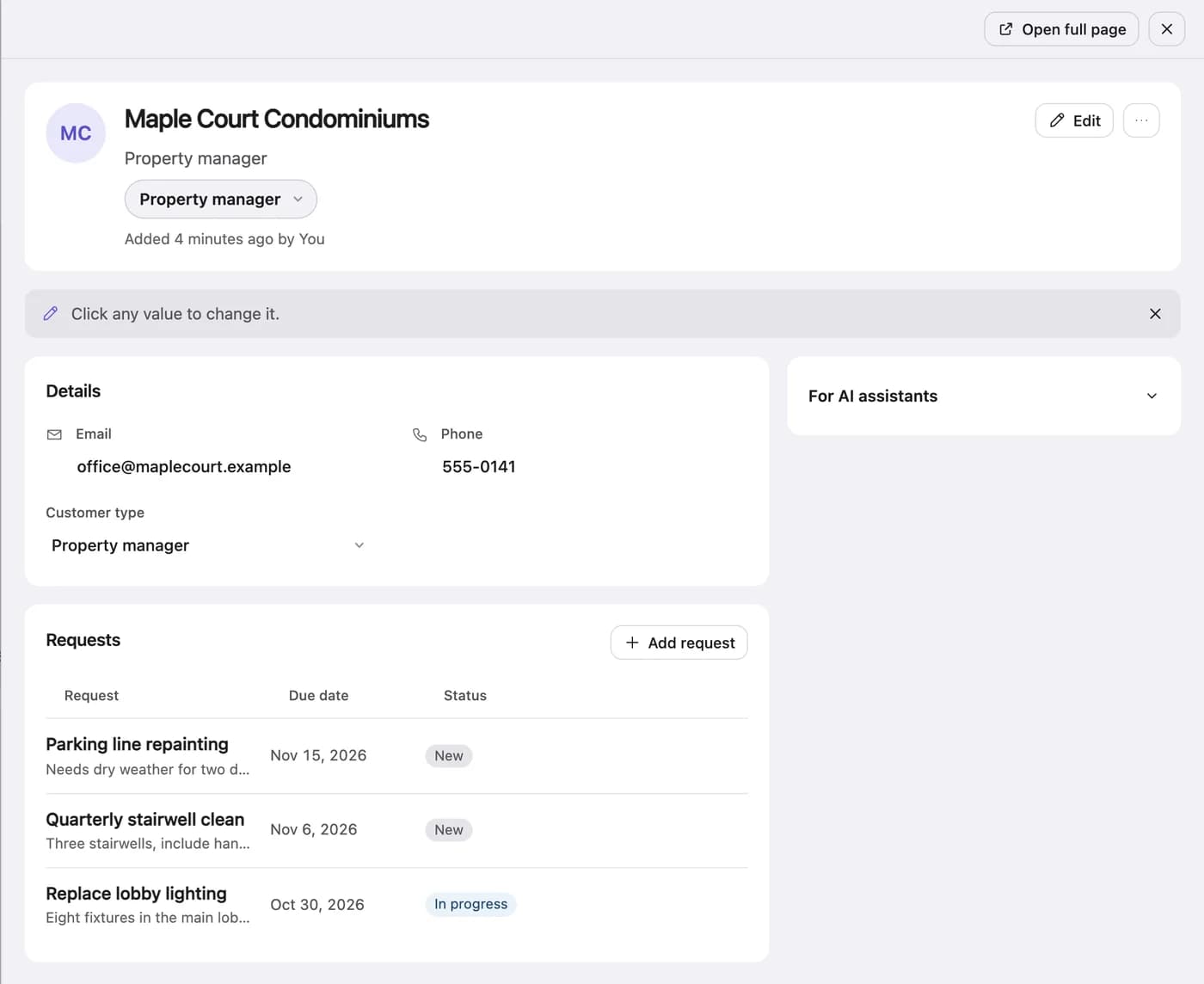
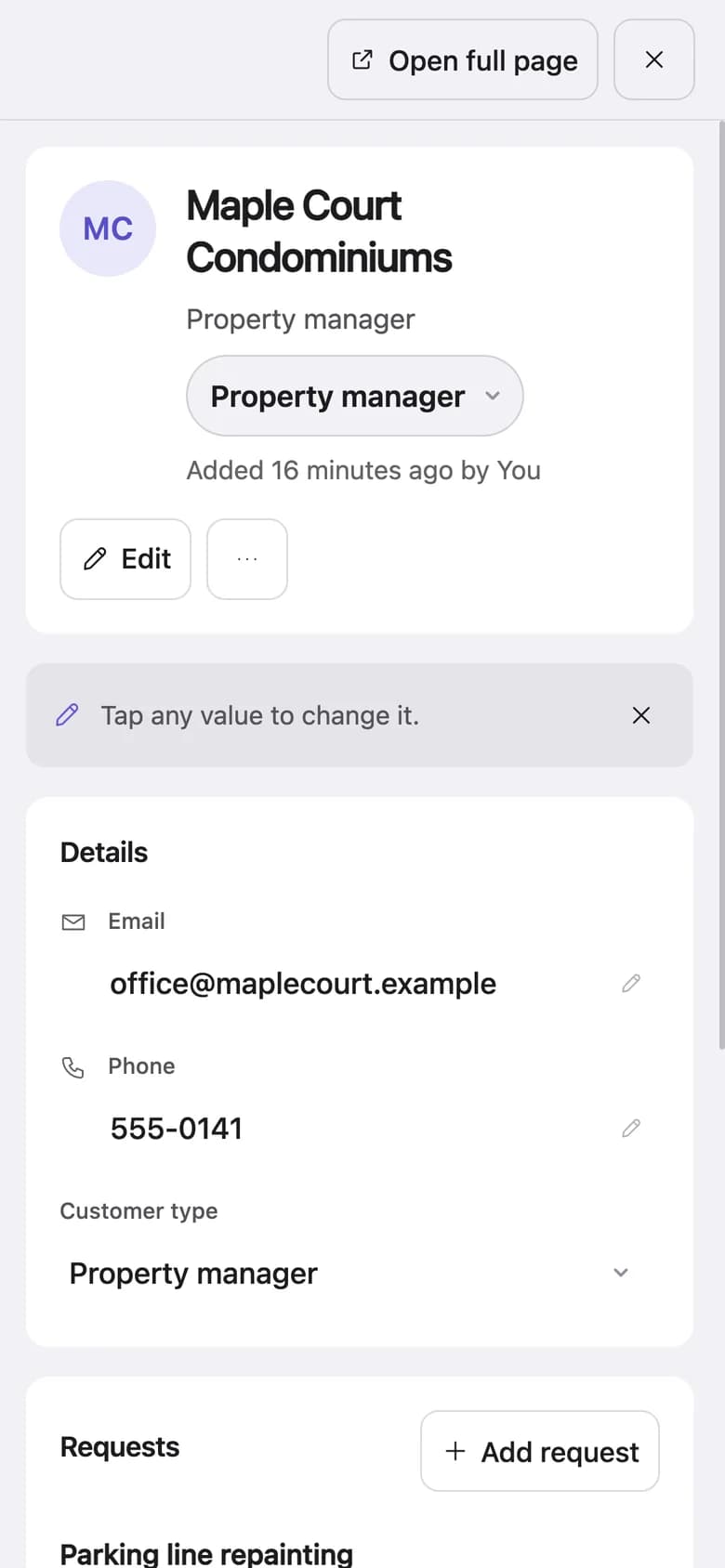
Product previewOne customer, every request made for them. Sample data from a fictional business.
Give people a useful interface
An owner may need an overview. An employee may need today’s assignments. Someone approving work may need a short review list.
Different interfaces work with the same records.
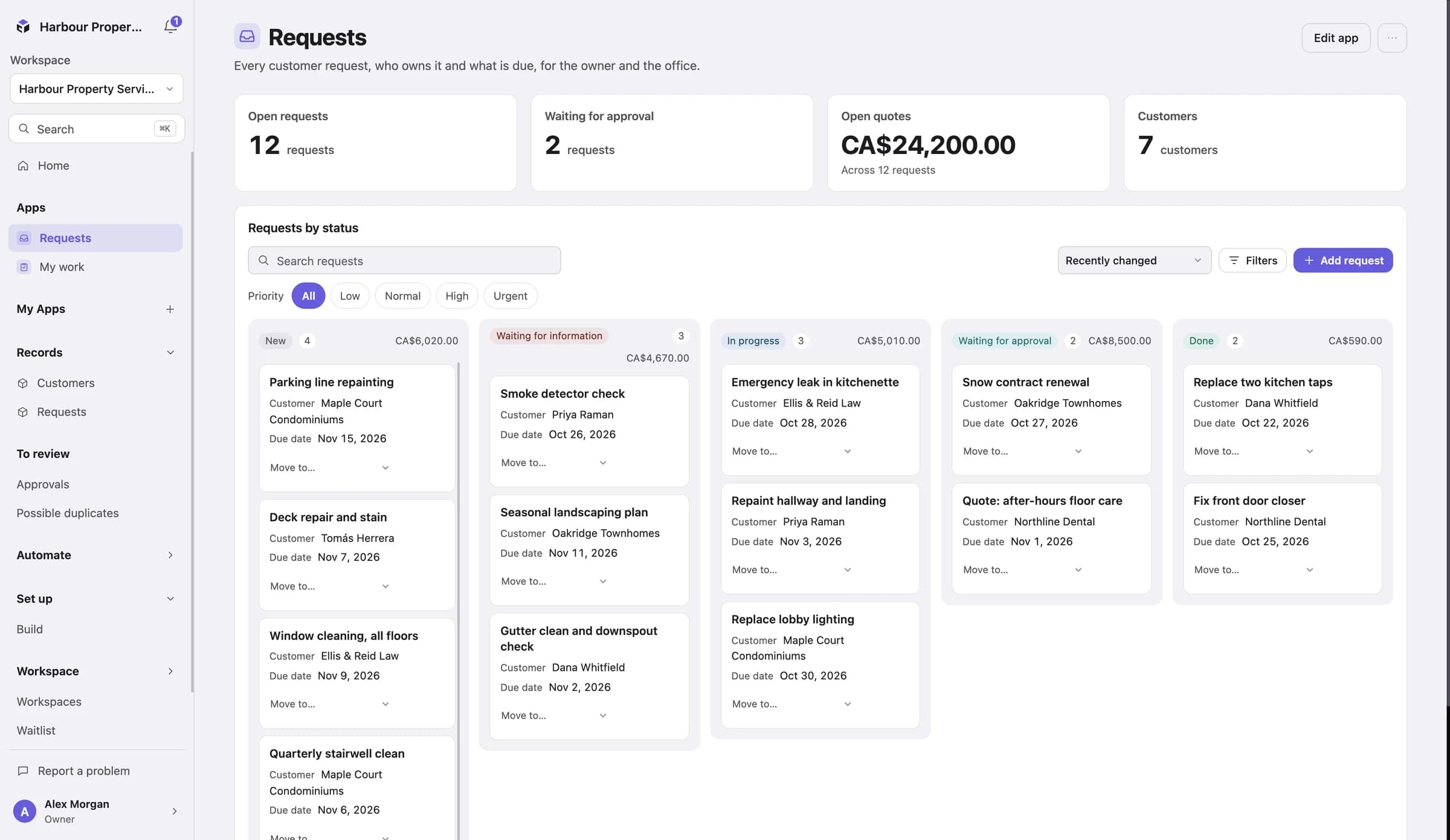
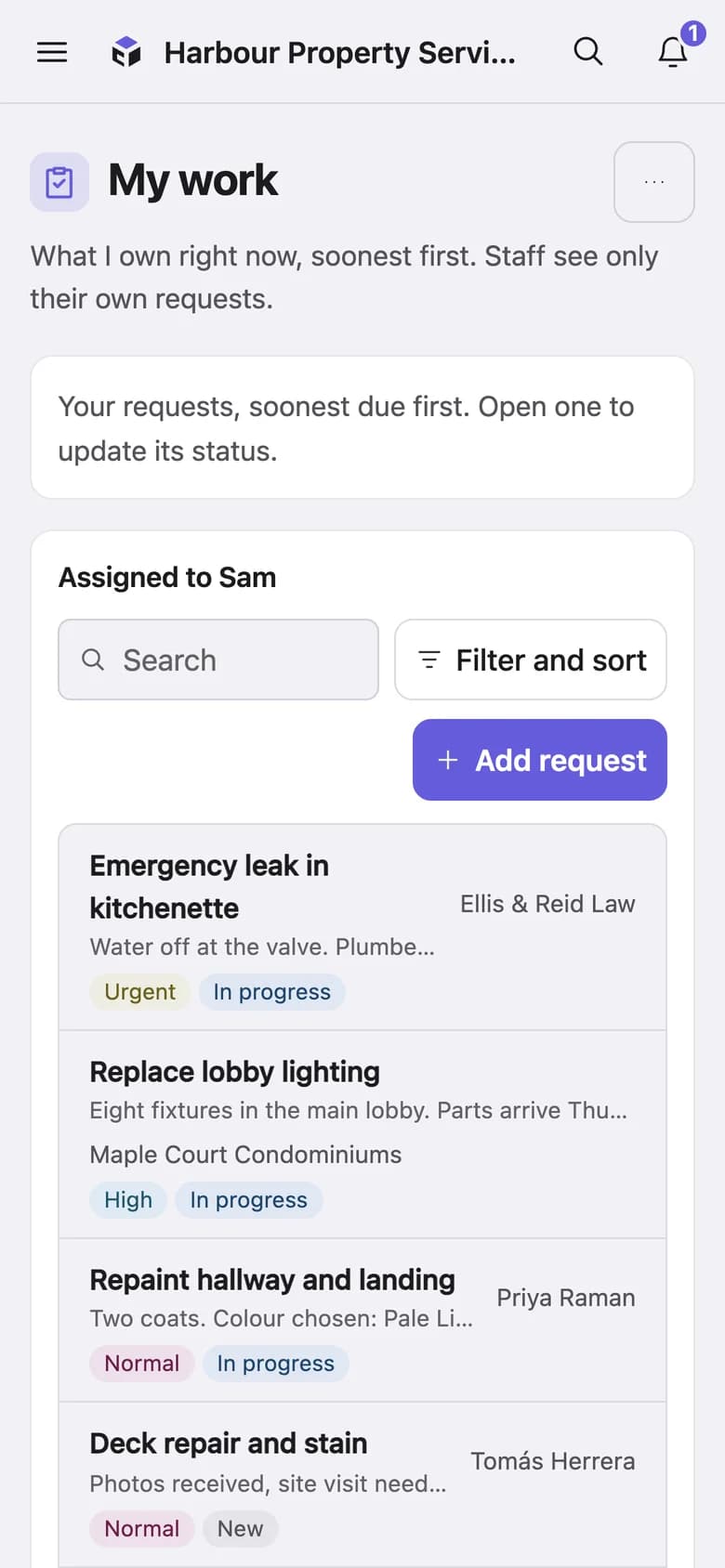
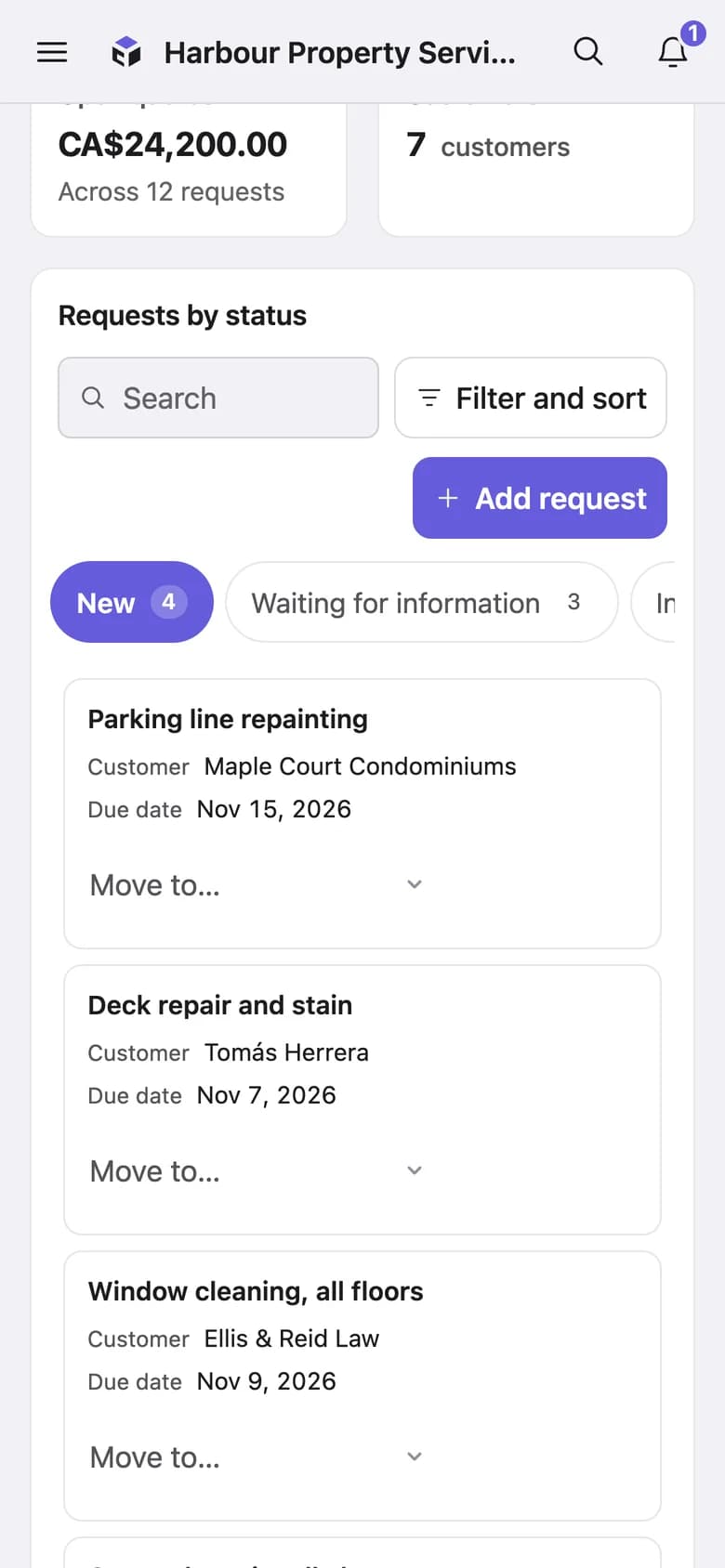
Product previewThe owner’s overview and a team member’s phone, from the same records. Sample data.
Define how work moves forward
Decide which information is required, which statuses make sense and what needs approval.
Important checks belong in the system’s allowed operations. They should not depend on a person, or an assistant, remembering an instruction.
Team memberExample settings
- Requests
- Staff see their own
- Quotes and prices
- Owner and office only
- Changing a status
- Anyone assigned
- Deleting a request
- Needs approval
Illustrative workflowRoles and approvals are set by you, per kind of record and per field.
Refine it as you use it
“Show me requests waiting for information.” “Add a completion date.” “Make my team’s overdue work easier to find.”
Keep improving the system through focused changes. Start with one workflow and add related work when it helps.
Add a completion date, and show me requests waiting for information first.
I will add Completion date to Request and reorder the board. Nothing else changes, and the existing requests keep their data.
Request + Completion date
Illustrative workflowA small change, asked for in ordinary words and reviewed before it is made.
Add an AI assistant if you want one
Everything above works without one. If you also use Claude, ChatGPT or another assistant, you can connect it. It then reads and answers from the same records as your team, with the same access as the person who connected it, and asks before big changes.
How AI connections workBuild me a financials dashboard for the year to date.
2026 financial dashboard
Read-only January 1 to October 28, 2026 · Source: Cube OS · CAD
- Recorded revenue
- $283,300 Across 118 invoices
- Recorded costs
- $182,100 Bills and expenses
- Provisional result
- $101,200 35.7% margin
- Last bank balance
- $64,380 As of Oct 27, 2026
Monthly financial performance
RevenueCosts
Illustrative workflowInvented figures for a fictional business, laid out like a dashboard an assistant built from a connected Cube OS workspace. Nothing was changed in the workspace.
What do you need to know?
You need to understand the work and make decisions about how it should run. The goal is to make ordinary setup accessible without writing code.
More complex connections or specialist requirements may still need help.
See your workflow differently
Join the waitlist and tell us what you would like to build first.
Join the waitlist