Build customer management around the way you work
Track the people, conversations, commitments and next steps that matter to your business. Cube OS helps you shape those tools by describing them, and keeps customer information connected to the work around it.
More context than another contact list
A customer relationship includes more than a name and an email address. Connect the customer to open requests, active work, important documents and follow-up commitments.
Give staff enough context to continue the relationship without searching several places.
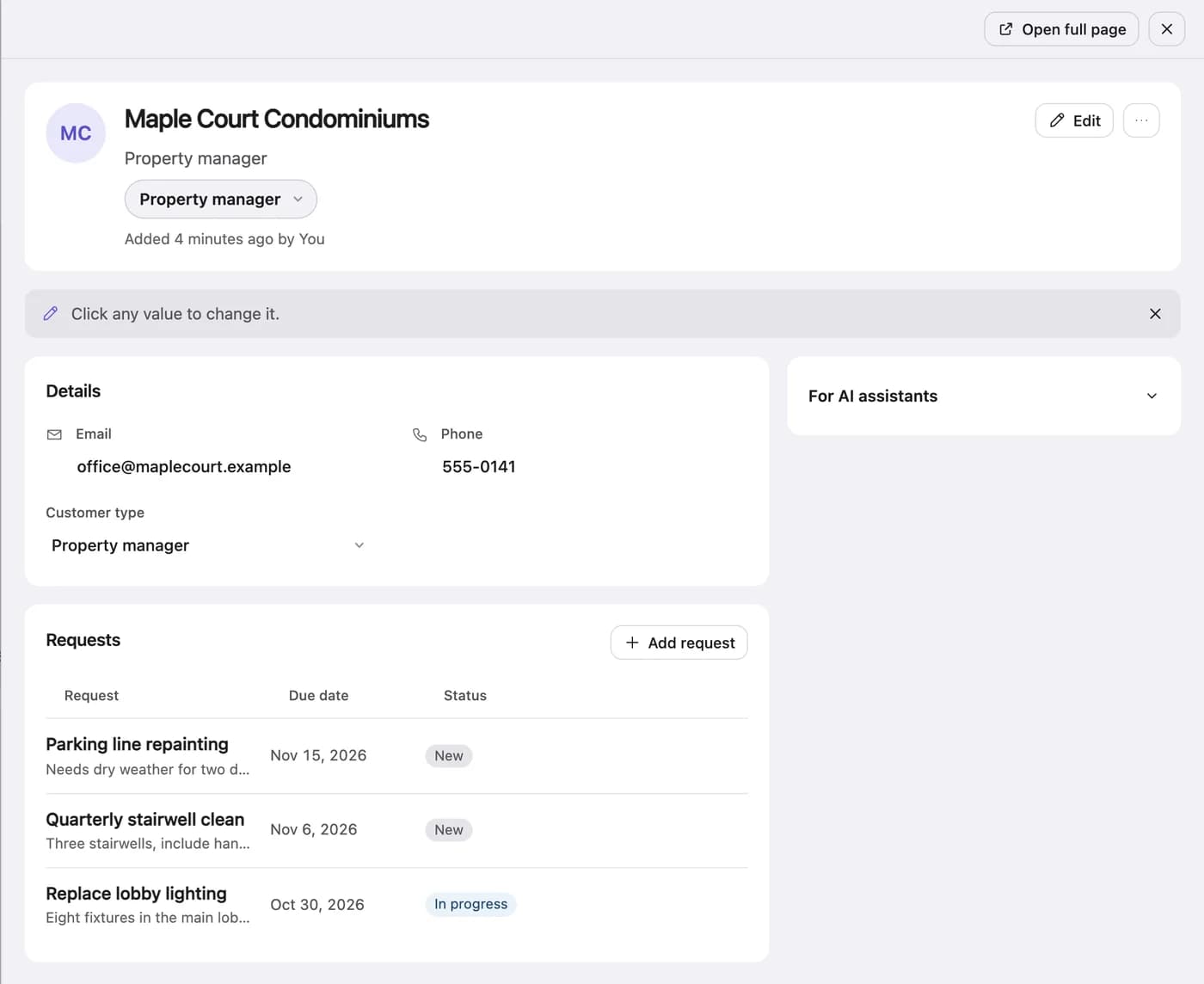
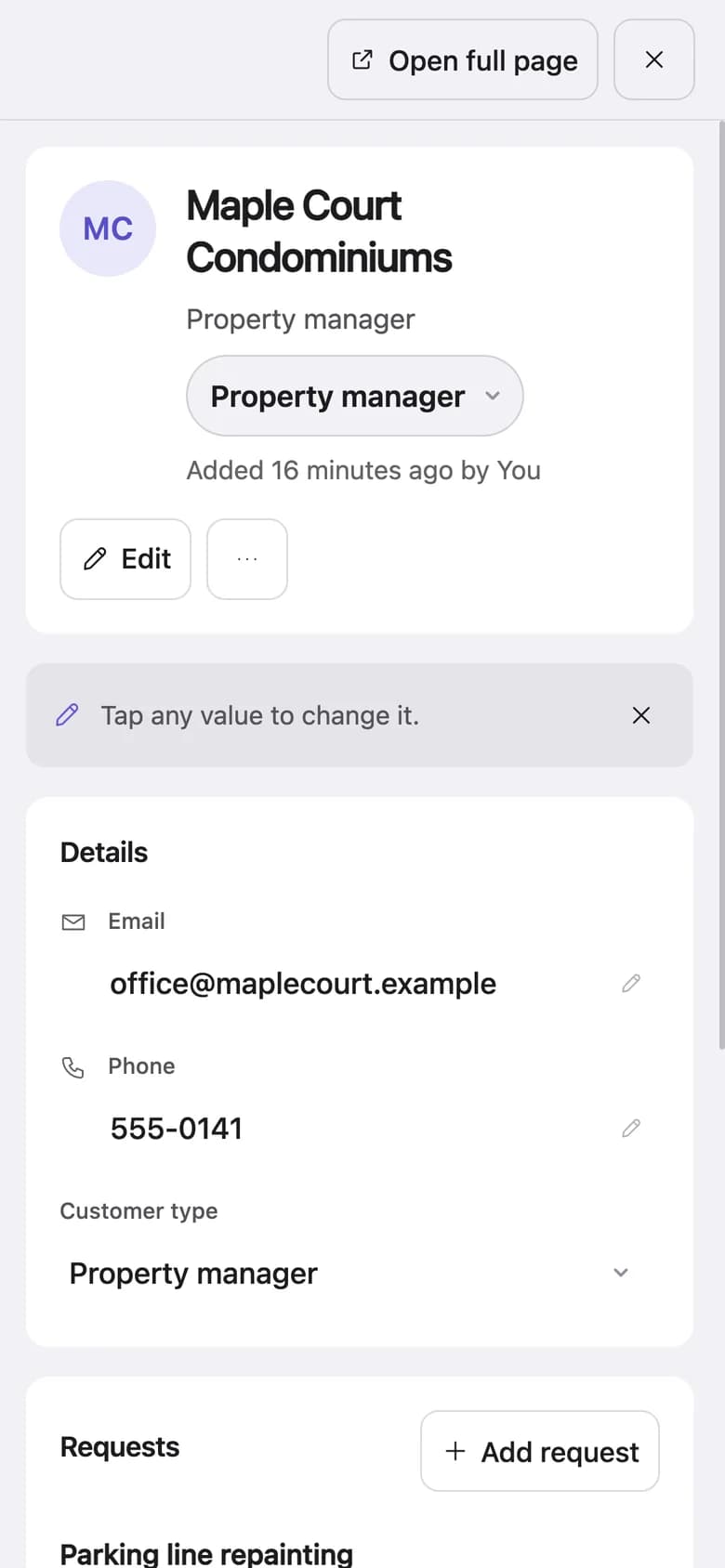
Product previewOne customer, every request made for them. Sample data from a fictional business.
Start with your own description
“Build a customer view showing contact details, open work, and the next follow-up. Let staff update their assigned customers.”
Use AI to help shape the records and interfaces, then review the fields, relationships and access before you put the workflow into use.
I need to track incoming requests, assign an owner, and see what is overdue.
Here is what I would set up. Check it before anything is created.
- Request with a title, status, priority, owner, due date and quote
- Customer reused if you already have one, linked to each request
- A board by status for you, and a My work list for each person
Does that match how your team works?
Illustrative workflowThe wording is an example of how a conversation starts. The result is shown in the next steps.
Give each person a focused view
An owner may want an overview of relationships that need attention. An employee may need their next actions. Both views refer to the same customer records.
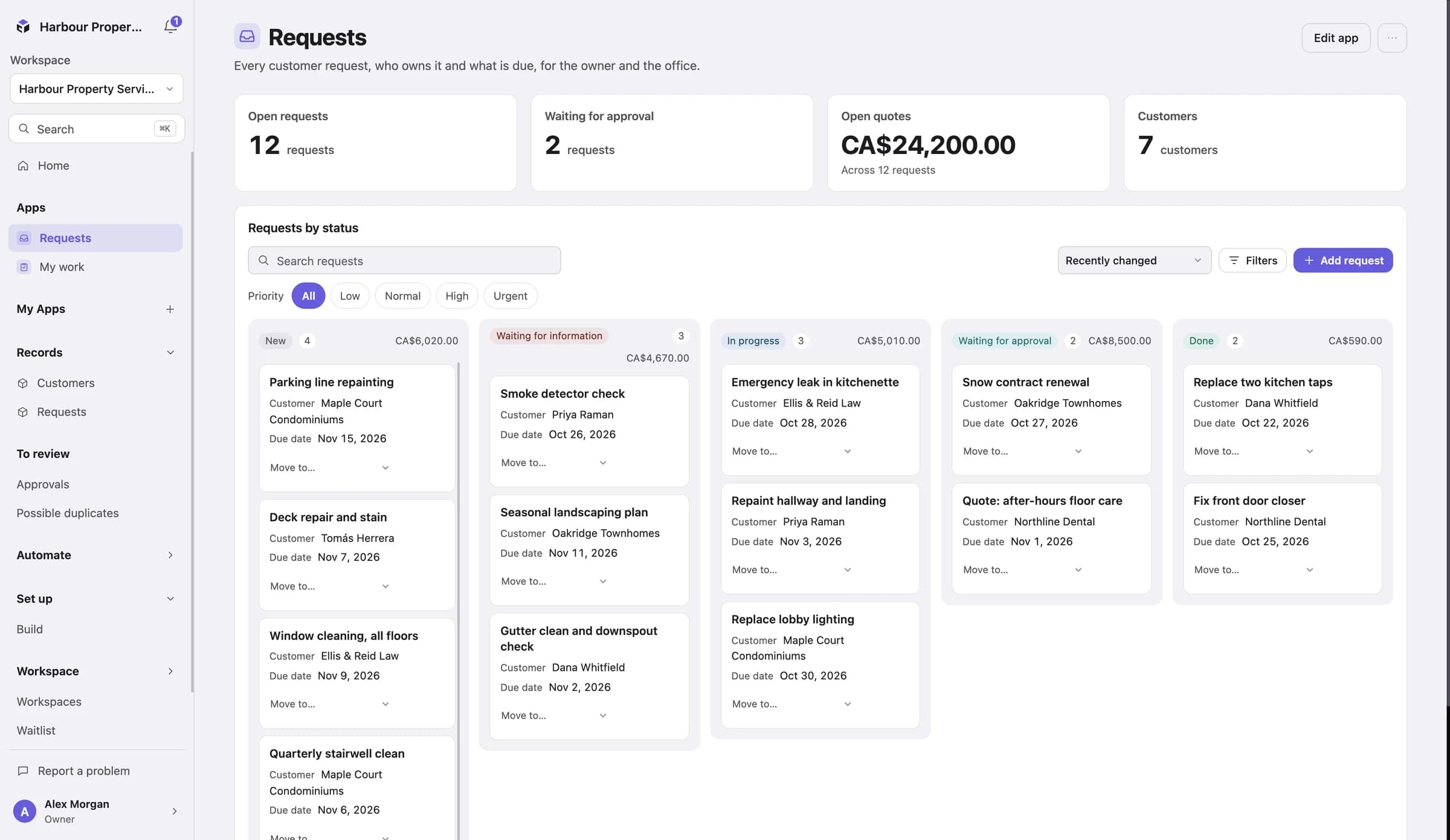
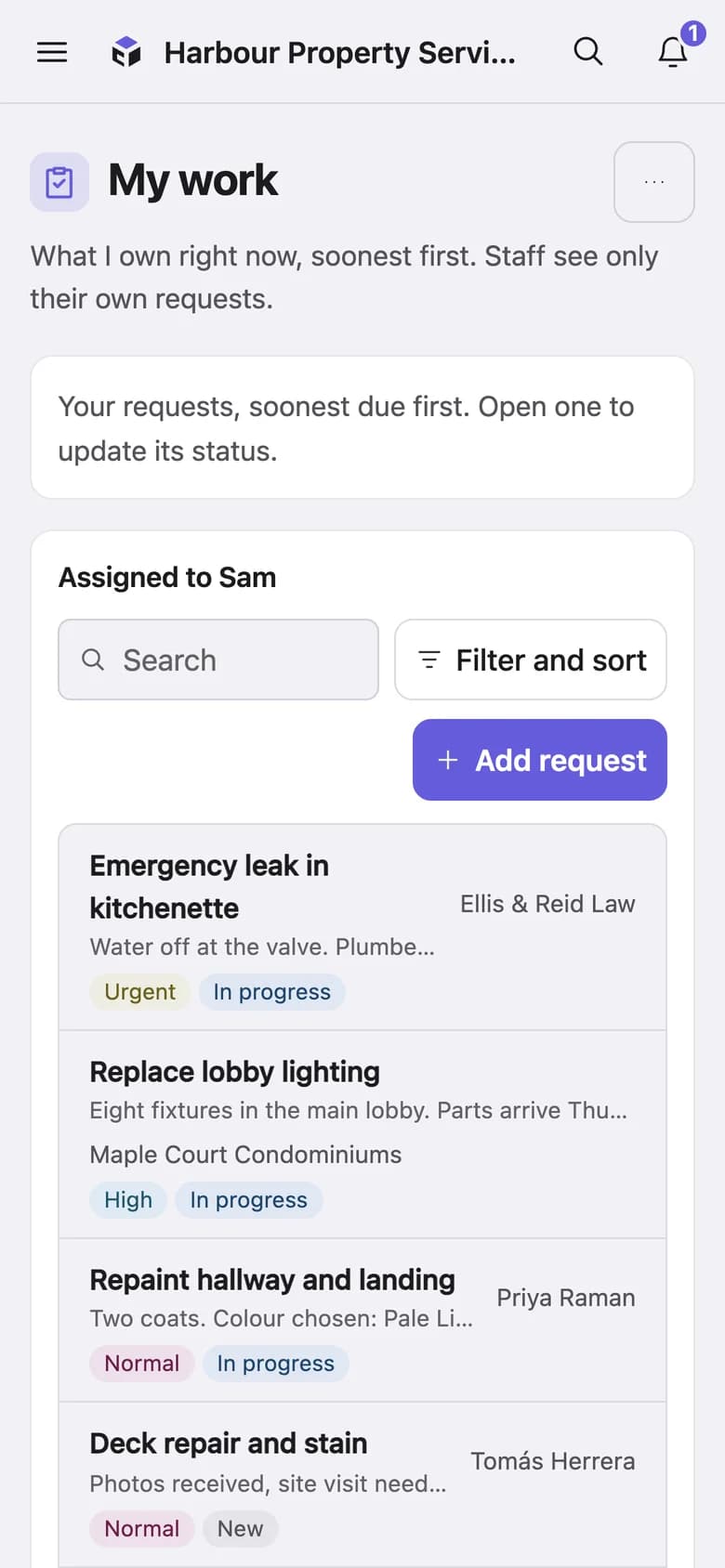
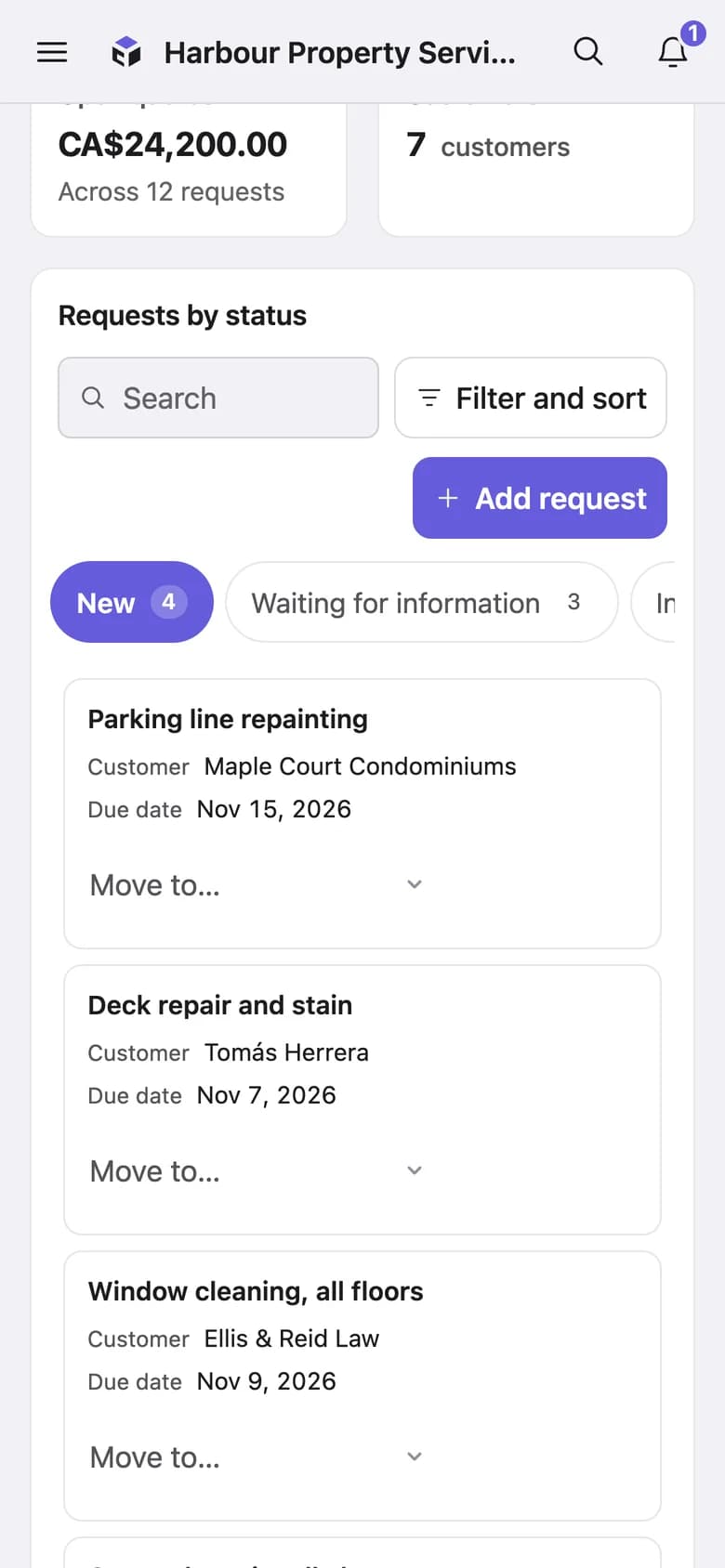
Product previewThe owner’s overview and a team member’s phone, from the same records. Sample data.
Do you need a packaged CRM instead?
A dedicated CRM may be a better fit when its sales, marketing or communication features already match your needs.
Cube OS is worth exploring when your customer workflow is closely tied to other operations and needs a different shape. It does not claim to replace email campaigns, telephony or lead scoring.
What would you change about your customer system?
Join the waitlist and share the part that feels harder than it should.
Join the waitlistWant to try Cube OS with your business now? Tell us about one workflow